Powerline Adapters: How They Work, How to Set Them Up and When They’re Worth It
Contents
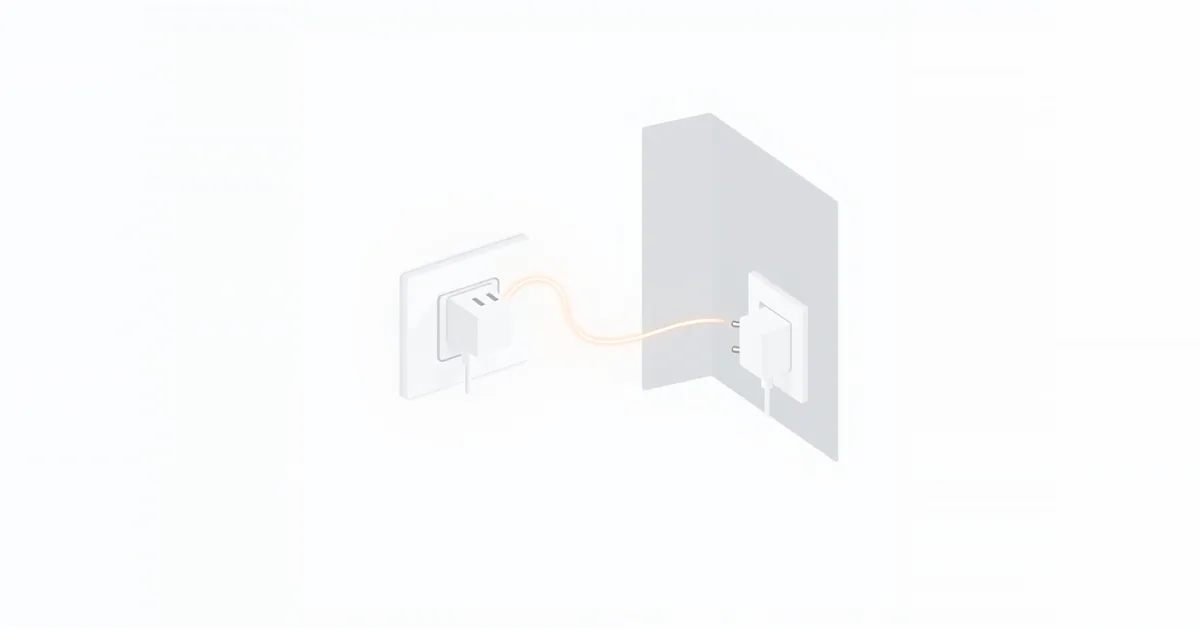
A powerline adapter sends your home network through the electrical wiring that is already in the walls. You plug one adapter in near the router, a second one in the room that needs a connection, and the two talk to each other over the power lines. No new cables, no drilling. How well it works depends almost entirely on your wiring, which is why some people swear by powerline and others give up on it after a day.
How Powerline Works
A powerline network needs at least two adapters. The first plugs into a wall outlet near the router and connects to one of the router’s LAN ports with an Ethernet cable. It turns the network signal into a high-frequency signal that travels over the electrical wiring alongside the normal current. The second adapter, in another room, picks up that signal and turns it back into a normal Ethernet connection for a TV, console or computer — or into Wi-Fi, if it is a Wi-Fi model.
Current adapters use the HomePlug AV2 standard, as NETGEAR’s product FAQ notes, and encrypt the connection with 128-bit AES so that neighbours on the same supply cannot join your network. You can add more adapters to the same network; depending on the model, NETGEAR says up to 64.
Real Speed vs the Number on the Box
The number in the product name — AV600, AV1000, AV2000 — is a theoretical link rate under ideal conditions, not the speed you get. NETGEAR explains why real rates are lower: every appliance on the electrical line generates noise, and the number of appliances and the age of the wiring matter more than the distance between the adapters.
In practice that means:
- The same kit can be fast between two outlets and slow between two others in the same home.
- Speed can change during the day, when chargers, motors, heaters or dimmed lights switch on and off.
- An older adapter with a 100 Mbps Ethernet port cannot deliver more than that to your device, whatever its rating.
Powerline is good enough for streaming, video calls and most gaming when the wiring cooperates. Expect less than a direct Ethernet cable in both speed and stability; see Ethernet vs Wi-Fi.
The Outlet Rules
Most powerline problems come from where the adapters are plugged in. The manufacturers are clear about this:
Plug directly into a wall outlet. NETGEAR does not recommend power strips, surge protectors, uninterruptible power supplies (UPS) or extension cords: they filter out some or all of the high-frequency signal, which can greatly reduce speed or block communication entirely. TP-Link adds that outlets with a built-in surge protector can cut the connection too. Many adapters have a pass-through socket on the front so you do not lose the outlet.
Stay on the same electrical installation. TP-Link’s FAQ says the adapters must be connected to the same electrical circuit. In practice, adapters usually work across the circuit breakers in one fuse box, though some breakers weaken the signal. Between separate buildings or separate electrical services they usually do not connect at all, and across phases they lose much of their speed (NETGEAR and TP-Link both mention the phase penalty).
Keep away from noise sources. TP-Link lists dimmer switches, touch-sensitive lamps and some other devices as possible sources of interference. Avoid outlets shared with large appliances, and try a different outlet if speed is poor.
How to Set Up a Powerline Kit
- Plug the first adapter into a wall outlet near your router and connect it to a LAN port on the router with an Ethernet cable.
- Plug the second adapter into a wall outlet in the target room.
- Wait for the powerline light to come on. Most kits come paired from the factory and connect within a minute or two.
- If they do not, press the Pair button on the first adapter and then, within two minutes, on the second, as TP-Link describes. Each adapter’s light shows when they are paired.
- Connect your TV, console or computer to the second adapter with an Ethernet cable.
The devices get their addresses from the router just as if they were plugged into it. If you need several wired devices in the target room, connect a small switch to the adapter; see network switch vs router.
Powerline With Wi-Fi
Wi-Fi powerline kits have a remote adapter with its own Wi-Fi access point. It works like an extender, but receives the signal through the wiring instead of over the air, so it does not lose half the speed on a wireless hop. Give its Wi-Fi the same name and password as your router — many models copy them when you press the WPS or Wi-Fi Clone button on the router and the adapter. See how to set up a Wi-Fi extender for placement ideas that also apply here.
Powerline, Mesh, MoCA or a Cable?
| Option | Best when | Weak spot |
|---|---|---|
| Ethernet cable | You can run a cable | Installation effort |
| Powerline | The room is far away or on another floor, and the wiring is in decent shape | Speed depends on wiring and appliances |
| MoCA adapters | There are coax TV outlets in the rooms | Needs coax wiring |
| Mesh Wi-Fi | Several rooms need Wi-Fi, mostly for phones and laptops | Speed drops with each wireless hop unless the units are wired |
| Extender | One room is just outside the router’s range | Usually halves the speed |
Powerline is especially useful to give a mesh unit or an access point a wired connection — a “wired backhaul” over the power lines; see what is mesh Wi-Fi and mesh Wi-Fi vs extender.
If the Adapters Do Not Connect
Test them side by side. Plug both adapters into the same wall outlet area or two neighbouring outlets. If they pair there but not in the target room, TP-Link notes that this usually means the two outlets are on separate circuits.
Remove the power strip. Plug each adapter directly into the wall.
Pair again. Press the pair buttons as described above, or reset the adapters following the manual and pair from scratch.
Try other outlets away from heaters, chargers and dimmers.
Update the firmware through the manufacturer’s app or utility; NETGEAR recommends it for stability and performance.
Frequently asked questions
Do powerline adapters really work?
Yes, in most homes. How well depends on the wiring: on a good circuit they give a stable wired connection; on old or noisy wiring speeds can be low.
Is a powerline adapter better than Wi-Fi?
Often for stationary devices far from the router, such as a TV or console on another floor, because the connection is steadier. Near the router, Wi-Fi or a cable is better.
Can I plug a powerline adapter into a power strip?
It is not recommended. Power strips, surge protectors and UPS units filter the signal and can reduce speed or block the connection.
Do powerline adapters work between different circuits?
They need to be on the same electrical installation. They usually work across breakers in one fuse box and lose speed across phases; between separate buildings or services they usually do not connect.
Are powerline adapters secure?
Current models encrypt the connection with 128-bit AES, and pairing creates a private network that neighbours cannot join without pressing your adapters’ pair buttons.
Sources
- Product FAQ: Powerline Adapters — NETGEAR Support
- Most frequently asked questions about TP-Link powerline devices — TP-Link Support