What Is Mesh Wi-Fi, How It Works and When It’s Worth It
Contents
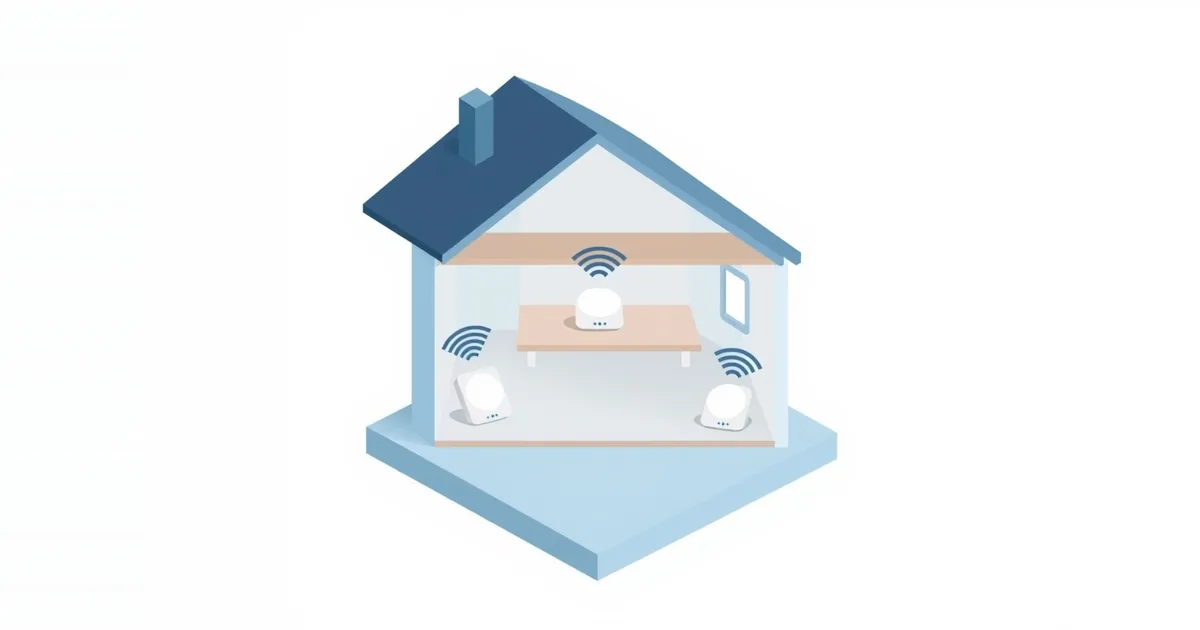
A single router sits in one spot and broadcasts in all directions, so rooms far away or behind several walls get a weak signal. Mesh Wi-Fi fixes this by spreading the job over several units placed around the home. Your devices see one network with one name and password, and move between the units on their own as you walk around.
What Mesh Wi-Fi Is
A mesh system is a set of two or more matching units, often called nodes or satellites. One connects to your modem and acts as the router; the others are placed around the home and pass traffic back to it. Together they form a single Wi-Fi network: one name, one password, one app to manage it.
Well-known systems include Google Nest Wifi, Amazon eero, TP-Link Deco, NETGEAR Orbi and ASUS ZenWiFi; many ASUS routers can also be combined with each other through AiMesh.
How It Works
One network everywhere. All units broadcast the same network. Devices connect to whichever unit gives them the best signal and switch to another as you move, without joining a different network.
Units talk to each other. Each satellite needs a connection back to the main unit, called backhaul. It can run over Wi-Fi or over a cable. The quality of that link decides how fast the far rooms are.
Managed together. The system picks channels, updates firmware and steers devices between bands and units centrally, usually from a phone app.
Compared with a Wi-Fi extender, the main difference is that a mesh system is designed as one network from the start, with smarter handoffs and, on better systems, a dedicated radio for backhaul. An extender is a separate device that repeats one router’s signal. We compare them in detail in mesh Wi-Fi vs extender.
Wired vs Wireless Backhaul
Wireless backhaul is the default: units relay traffic over Wi-Fi. Every hop shares airtime, so speed drops with distance and with each extra unit in the chain. Tri-band systems reserve one radio just for backhaul, which keeps more speed for your devices.
Wired backhaul connects the units with Ethernet cables. It gives each unit a full-speed link to the main unit, as if the router were in that room. If your home has Ethernet in the walls — or you can use MoCA over coax — wired backhaul turns a good mesh system into an excellent one. Most systems detect the cable automatically. See Ethernet vs Wi-Fi for cabling options.
Do You Need Mesh?
Probably yes if:
- Your home is large, has several floors or an L-shape, or has thick walls of brick, concrete or stone.
- Some rooms have weak or no Wi-Fi even after you moved the router to a central, open spot.
- You want strong Wi-Fi in a garden office, garage or far bedroom without running cables to it.
Probably not if:
- You live in an apartment or a small house where one modern router, well placed, reaches every room. Try that first; how to boost your Wi-Fi signal covers the free fixes.
- Wi-Fi is slow everywhere, even next to the router. Then the plan, the channel or the router is the bottleneck, not coverage; see why is my Wi-Fi so slow.
- You only need coverage in one extra room and can run a cable — a single access point is cheaper; see how to use an old router as an access point.
How Many Units and Where to Put Them
As a starting point, two units cover a typical medium-sized home and three cover a large or multi-floor one; manufacturers state the coverage area of each pack, which is a useful guide but assumes open space.
Placement matters more than the number:
- Put the main unit next to the modem, as central as possible.
- Place each satellite about halfway between the main unit and the area with weak signal — where the signal is still good, not inside the dead zone.
- Keep units in the open and at table height or higher, away from microwaves, large metal objects and fish tanks.
- Most apps show the quality of each unit’s connection after setup; move a satellite closer if it reports a weak link.
What to Check Before Buying
Backhaul: a tri-band system or one with Ethernet ports for wired backhaul.
Wi-Fi generation: Wi-Fi 6 is a solid baseline; Wi-Fi 6E or 7 systems use the 6 GHz band, which also helps backhaul. See Wi-Fi 6 vs 6E vs 7.
Ethernet ports on each unit, for TVs, consoles and computers near the satellites.
Your provider’s equipment: if your provider’s box is a gateway, plan to put it in bridge mode, or run the mesh system in access point mode, to avoid double NAT; see modem vs router vs gateway.
Updates and subscriptions: check how long the manufacturer has updated its older systems, and which features need a paid plan.
Frequently asked questions
Is mesh Wi-Fi better than a router?
For large or multi-floor homes, yes: it covers more space with one network. In a small home, a single good router is just as fast and cheaper.
Does mesh Wi-Fi replace my router?
Usually yes. The main unit becomes your router. You still need a modem or the provider’s box to connect to the internet.
Does mesh Wi-Fi reduce speed?
Each wireless hop shares airtime, so distant satellites get less speed than the main unit. Tri-band systems and wired backhaul reduce this.
Can I mix different brands of mesh units?
Generally no. Units of one system work together; different brands do not form one mesh, though EasyMesh-certified devices aim to change that.
Do I need Ethernet for mesh Wi-Fi?
No, mesh works over Wi-Fi. Ethernet between units (wired backhaul) is optional but makes the system faster.
Sources
- What is Mesh WiFi? — NETGEAR
- What is mesh wifi? — eero