What Is a Good Ping for Gaming, Video Calls and Everyday Use?
Contents
A fast connection can still feel slow in a game or on a video call, because what matters there is not how much data arrives, but how long it takes. That delay is your ping. This guide gives the ranges providers and network tools use to judge it, what is normal for your type of connection, and what you can actually do about a high one.
What Ping Is
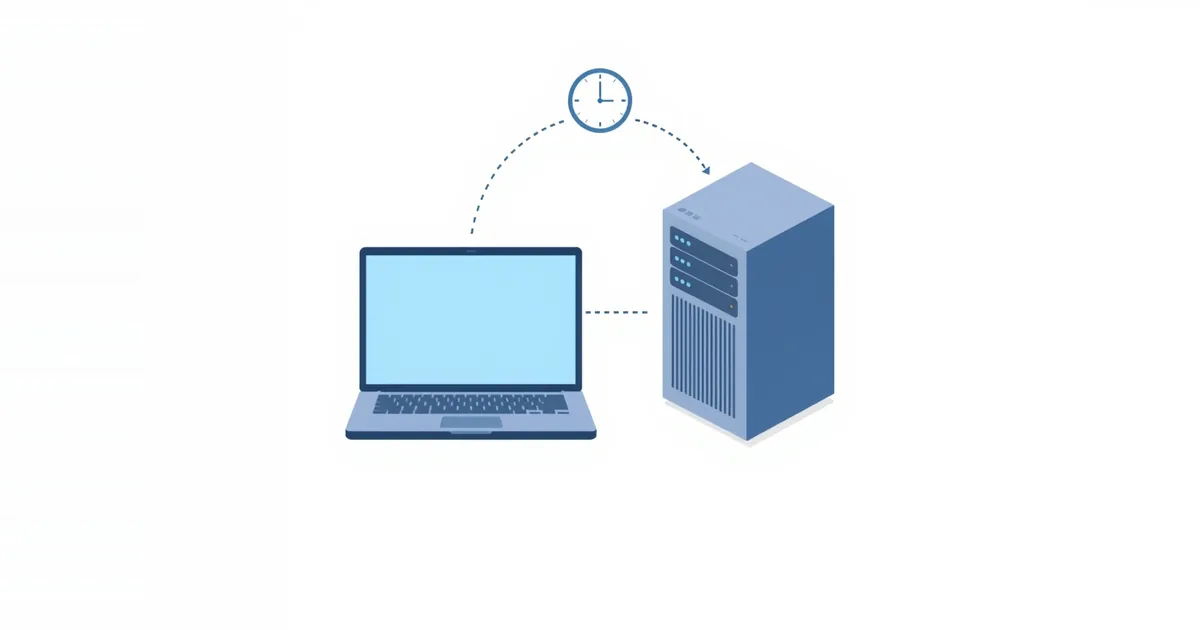
Ping is the time a small packet takes to travel from your device to a server and back, measured in milliseconds (ms). It is also called latency or round-trip time. The name comes from the ping command, which measures exactly that.
Ping is different from speed. Speed (bandwidth) is how much data per second your connection can carry; ping is how long each piece takes to make the trip. Downloads and streaming care mostly about speed. Games, video calls and remote desktop care about ping, because every action waits for a reply.
What Counts as a Good Ping
There is no single official scale. The table below is our rough guide; its key thresholds — 50, 150 and 200 ms — come from the sources listed after it:
| Ping | What it means | Good enough for |
|---|---|---|
| Under 20 ms | Excellent | Competitive gaming, streaming games live |
| 20–50 ms | Very good | Any online game, calls |
| 50–100 ms | Fine | Most games, calls, browsing |
| 100–150 ms | Noticeable delay | Casual games, browsing; calls still work |
| Over 150 ms | Lag | Fast-paced games suffer; calls may talk over each other |
| Over 200 ms | Poor | Most real-time uses |
AT&T Business calls a ping under 50 ms fantastic for gaming and says a ping over 150 ms generates noticeable lag; it adds that streamers often aim for 15–20 ms. PingPlotter treats 200 ms or below as passable, depending on the connection type and distance, and says consistent latency above 200 ms produces a laggy experience. For voice, ITU-T Recommendation G.114 considers up to 150 ms of one-way delay acceptable for most applications — keep in mind that this is one-way, while ping measures the round trip.
What “good” means also depends on the game. Turn-based and strategy games tolerate 100 ms or more; fast shooters and fighting games feel the difference between 20 and 60 ms.
Normal Ping by Connection Type
Your connection type sets the floor — you will not get below it with any setting:
- Fiber: 7–14 ms of idle latency for fiber providers in the FCC’s Measuring Broadband America data for 2022.
- Cable: 12–24 ms in the same data. PingPlotter gives 5–40 ms as a typical base latency for cable.
- DSL: 23–34 ms in the FCC data; 10–70 ms in PingPlotter’s figures.
- Satellite: low-orbit services such as Starlink are far lower than older geostationary satellite internet, which has very high latency because of the distance to the satellite. See Starlink router.
These are idle values to a nearby test server. A game server in another region adds more, because of distance alone. For the full comparison, see fiber vs cable internet.
Jitter and Packet Loss
Ping alone does not tell the whole story. Two more numbers matter for games and calls:
- Jitter is how much the ping varies from one packet to the next. A steady 60 ms feels better than a ping that jumps between 20 and 120 ms. PingPlotter considers jitter of 15% or less of the average latency stable.
- Packet loss is the share of packets that never arrive. PingPlotter calls 2% or less over 10 minutes acceptable, says a good connection should have none at all, and treats 5% or more as a likely problem. Lost packets cause rubber-banding in games and robotic voices on calls.
How to Test Your Ping
- Our ping test measures the round trip from your browser.
- Windows: open Command Prompt and run
ping 8.8.8.8 -n 20. The summary shows minimum, maximum and average times and lost packets. - Mac and Linux: in Terminal, run
ping -c 20 8.8.8.8. - In games: most games show ping to the game server in the settings or on the scoreboard — this is the number that matters for that game.
To find where delay comes from, test to your router first (usually ping 192.168.1.1 or your default gateway): over Wi-Fi it should be a few milliseconds. If the router is already slow to answer, the problem is your Wi-Fi. For the path beyond, use traceroute.
Test under load, too. Start a large download on another device and ping again. If ping jumps by tens or hundreds of milliseconds, your connection suffers from bufferbloat, which QoS or Smart Queue Management can fix.
How to Lower Your Ping
You cannot change the distance to a game server or the floor your connection type sets, but most high pings at home come from Wi-Fi and from other traffic on the same line — and both are fixable. Work from the top of this list:
- Use a cable. Ethernet removes Wi-Fi delay and its spikes; see Ethernet vs Wi-Fi.
- On Wi-Fi, get closer to the router or use 5 GHz, and reduce interference.
- Stop heavy traffic during play: cloud backups, game updates, 4K streams on other devices.
- Enable QoS or Smart Queue if ping rises only when others use the connection; see the best router settings for gaming.
- Pick the nearest game server or region in the game’s settings.
- Restart the router and modem if ping is high on every device at once.
- Check your connection type. If you are on DSL or older satellite and need low ping, fiber or cable is the real fix.
Frequently asked questions
What is a good ping for gaming?
Under 50 ms is very good for any game, and under 20 ms is ideal for competitive play. Up to about 100 ms is fine for most games; above 150 ms most players notice lag.
Is 100 ms ping good?
It is usable for browsing, calls and many games, but players of fast shooters and fighting games will notice the delay.
Why is my ping so high on Wi-Fi?
Distance from the router, interference and other devices using the network add delay and spikes. Test with a cable to see the difference.
Does internet speed affect ping?
Not directly. A faster plan does not lower ping by itself, but a connection that is full — for example during an upload — raises ping for everyone on it.
What is the difference between ping and latency?
In everyday use they mean the same: the round-trip delay in milliseconds. Strictly, ping is the test and latency is the delay it measures.
Sources
- What Are Good Latency & Ping Speeds? — PingPlotter
- What is ping and how does it impact professional gaming? — AT&T Business
- Measuring Fixed Broadband — Thirteenth Report — Federal Communications Commission
- G.114: One-way transmission time — ITU-T