WAN Port vs LAN Port: Which Router Port to Use for What
Contents
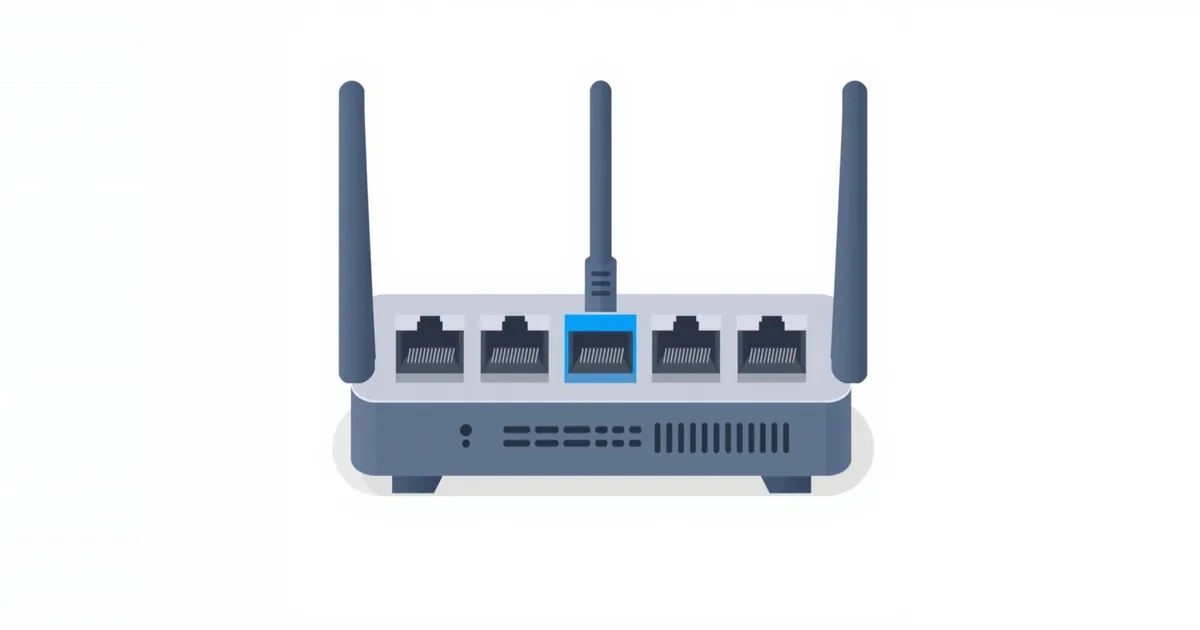
Turn a router around and you will usually see one port that looks different from the rest. That one is the WAN port; the others are LAN ports. Plugging the right cable into the right port is the first step of every router setup and the cause of a surprising number of “no internet” problems.
The Difference in One Table
| WAN port | LAN ports | |
|---|---|---|
| Other names | Internet, Uplink, a globe icon | Ethernet, numbered 1–4, LAN 1–8 |
| How many | Usually one | Usually three to eight |
| Connects to | The modem, fiber terminal or provider gateway | Computers, consoles, TVs, switches, printers |
| Faces | The internet (wide area network) | Your home network (local area network) |
| Address on that side | Public address from the provider, or the gateway’s private address | Private addresses handed out by the router, such as 192.168.1.x |
The WAN Port
WAN stands for wide area network — in practice, the internet. The WAN port is where the router receives the connection from your provider: a cable from the modem, the fiber optical terminal (ONT) or the provider’s gateway goes here. The router gets its internet address on this port, and its firewall and network address translation sit between this port and everything else. TP-Link’s troubleshooting guide puts it first: make sure the modem is plugged into the WAN/Internet port.
The LAN Ports
LAN stands for local area network — your home network. LAN ports connect wired devices: a desktop, a game console, a TV, a NAS or a network switch that adds more ports. Devices on LAN ports get local addresses from the router, reach the internet through it and can see each other, just like devices on its Wi-Fi.
Microsoft’s Ethernet troubleshooting guide makes the same point from the computer’s side: a PC must be plugged into one of the router’s Ethernet (LAN) ports, not the Internet port used for the modem.
How to Tell Them Apart
Color. On most routers the WAN port has a different color — often blue or yellow — while the LAN ports are another color, such as gray or yellow.
Label and icon. Look for “WAN”, “Internet” or a globe icon above the port. LAN ports are numbered or labelled “LAN” or “Ethernet”.
Position. The WAN port is usually at one end of the row, sometimes slightly apart from the others.
Mesh units. Some mesh units have two identical, unlabelled ports and detect by themselves which one has the internet. Others mark the WAN port with an icon; the setup app tells you which port to use.
The quick start guide or the label on the bottom shows the port layout if the router has no markings at all.
What Happens If You Mix Them Up
Modem cable in a LAN port. The router does not see the internet: the internet light stays off or amber, and the status page shows “WAN port unplugged” or 0.0.0.0. Worse, if the modem is a gateway, your router may start handing out addresses into the gateway’s network. Move the cable to the WAN port. See router not connecting to modem.
Computer in the WAN port. The computer gets no address and no internet. The router treats it as if it were the modem.
Your router’s LAN to a gateway’s LAN. Connecting a LAN port of your router to a LAN port of the provider’s gateway is not a mistake but a deliberate setup: your router then works like a switch and access point inside the gateway’s network. It is one way to avoid double NAT, but turn off the DHCP server on your router first — or use its access point mode — so that only one device hands out addresses. See how to use a router as an access point.
Combo, Multi-Gig and Gateway Ports
WAN/LAN combo ports. Some newer routers let you choose which port is the WAN, often so that a faster port can be used for a multi-gig internet plan. If your plan is faster than 1 Gbps, the modem must go into the faster port and that port must be set as the WAN in the router’s settings.
Dual WAN. Some routers can use a second port, or a USB modem, as a backup internet connection. You set this up explicitly; a cable in a spare LAN port does not become a second WAN on its own.
Link aggregation. Some routers can combine two ports into one faster link to a NAS or switch, which is set up in the LAN settings.
Provider gateways. A gateway with a built-in modem has no Ethernet WAN port: its internet comes in through the coax, phone or fiber connector. All of its Ethernet ports are LAN ports.
WAN and LAN in the Router Settings
The same words appear in the router’s settings. WAN or Internet settings are where you choose the connection type — Dynamic IP, PPPoE or Static IP — and see the address your provider assigned. LAN settings hold the router’s own local address, such as 192.168.0.1, the subnet mask and the DHCP range it hands out. If you need to sign in to change any of these, see what is my router IP.
Frequently asked questions
Which port do I plug the modem into?
The WAN or Internet port of the router — usually the one with a different color or a globe icon.
Can I use a LAN port as WAN?
Only if the router supports assigning the WAN role to another port, which some newer models do in their settings. Otherwise the WAN port is fixed.
Is the WAN port faster than LAN ports?
On most home routers all ports run at the same speed, often 1 Gbps. On some models the WAN port, or one combo port, is faster for multi-gig plans.
Which Ethernet port should I use for my computer or console?
Any LAN port. They work the same way; the numbers only identify the ports.
Why does my router say the WAN port is unplugged?
The cable from the modem is missing, in the wrong port, or faulty, or the modem is not passing on a connection. Check the cable and restart the modem and router.
Sources
- TP-Link Router Not Connecting to Internet? Troubleshooting — TP-Link Support
- Fix Ethernet connection problems in Windows — Microsoft Support