Ethernet Wall Port Not Working: How Wall Jacks Work and How to Get Them Online
Contents
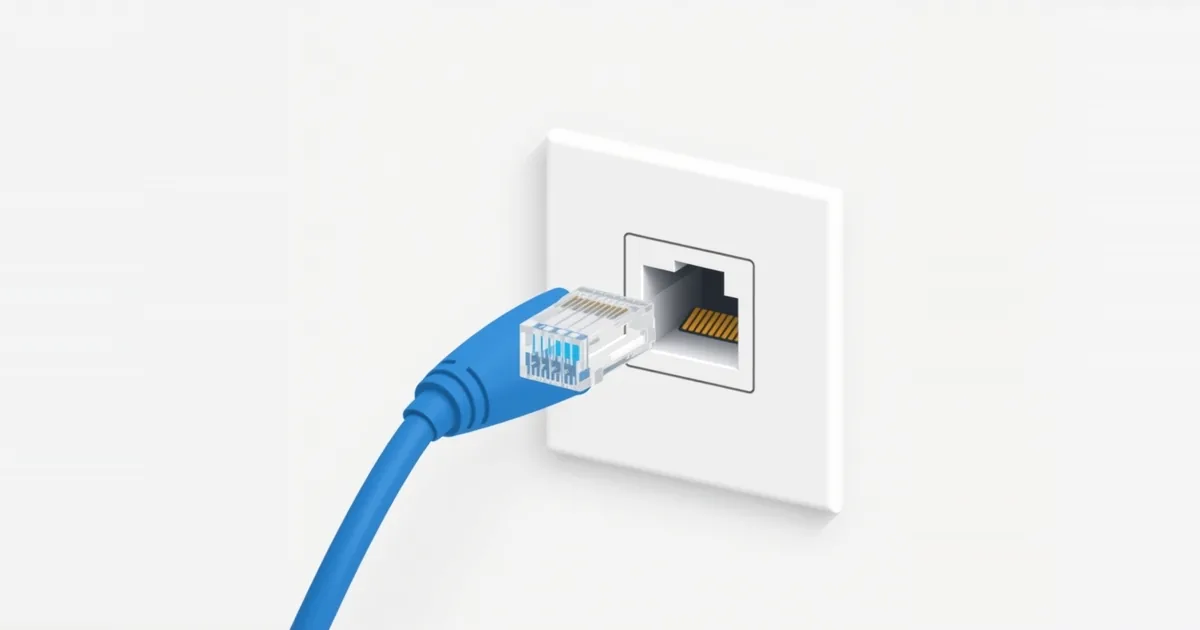
A network jack in the wall looks like it should simply work — plug in a cable and you are online. In reality, a wall jack is just one end of a cable running through the walls. If the other end is not connected to your router or a switch, the jack is dead. That is by far the most common reason a wall port “doesn’t work”, especially after moving in or installing a new router.
How Wall Ethernet Ports Work
Each wall jack has its own Ethernet cable behind it, usually running to one central spot: a closet, the basement, a utility room or a cabinet with a small panel. There, the cables end in a patch panel or loose connectors. Nothing reaches the jack until someone connects that end to a router or network switch with a short patch cable.
So “activating” a wall port does not involve any setting — you connect its other end to your network.
Step 1: Find Where the Cable Goes
Look for the place where the cables come together:
- a structured media cabinet or panel in a closet, garage or basement;
- a bundle of cables near the main TV outlet or where the internet enters the home;
- a patch panel with numbered ports; the numbers often match labels on the wall plates.
In apartments, the cables may run to a cabinet in the unit or to a building room the landlord or provider controls. In that case, ask them.
If the cables at the central spot have no connectors at all, they need to be terminated on a patch panel or with plugs, which is a job for someone with the right tools.
Step 2: Connect It to the Router or a Switch
Use a short patch cable from the patch panel port (or the cable end) that belongs to the wall jack to a LAN port on your router. If several jacks need to be live and the router has too few ports, add an unmanaged switch next to the router and connect the jacks to it; see network switch vs router.
Do not use the router’s Internet (WAN) port for a room jack. Some homes are wired so that one wall jack carries the internet from the modem to the router; that run must go into the WAN port, and all others into LAN ports. Mixing them up leaves the room without internet. See WAN port vs LAN port.
If your provider’s gateway sits in one room and the router in another, a wall jack between the rooms can carry the connection — as long as each end goes into the right port.
Step 3: Test the Jack, Cable and Port
Work through the chain from the device to the router:
- Try a different patch cable between the device and the wall jack.
- Try another device — a laptop you know works with Ethernet.
- Check the lights. The port light on the router or switch should come on when a device is plugged into the wall jack. If it stays off, the cable run, the jack or the port is the suspect.
- Test the router port. NETGEAR’s loopback test: connect a LAN port to the router’s Internet port with one cable; if both port lights come on, the ports work. Then use a port you know is good.
- Use a cable tester. An inexpensive Ethernet tester plugged into the wall jack and the other end shows whether all eight wires are connected and in the right order.
If the device connects but gets an address starting with 169.254, the link works but the device did not get an address from the router; see Ethernet cable not working.
Step 4: Check the Wiring
When the tester shows a fault, the cause is usually at one end of the run:
A wiring standard mismatch. Ethernet jacks are wired to either the T568A or T568B colour order. Either works, but both ends of a run must use the same one. A mix creates a crossed pair that often works poorly or not at all.
A loose wire in the jack. Each wire is pressed into a slot on the back of the jack. If one is not fully seated, the link may fail or drop to 100 Mbps. Re-terminating the jack fixes it.
A damaged cable — nailed, crushed or cut during renovation. A tester shows which pair is broken.
Link at 100 Mbps instead of 1 Gbps points to one bad pair, since gigabit needs all four; see Ethernet cable not working for checking link speed.
Is It Even an Ethernet Jack?
Wall plates can look alike. An Ethernet (RJ45) jack is wider than a phone (RJ11) jack, and an Ethernet plug only clicks into the right one. Coaxial TV outlets are round screw connectors; they can carry a network with MoCA adapters, but not with a normal Ethernet cable. In older homes, “network” jacks are sometimes phone wiring. A cable tester or a look at the cable printing at the central spot (“Cat 5e”, “Cat 6”) settles it.
When to Call an Electrician or the Provider
Call a low-voltage electrician or network installer when cables need to be terminated, a run is damaged inside the wall, or you cannot find where the jacks lead. If the wiring belongs to your internet provider or building, ask them to connect the jack. If running new cable is not practical, a powerline adapter or a mesh unit brings a wired connection to the room instead.
Frequently asked questions
Why is my Ethernet wall port not working?
Usually because the cable behind it is not connected to a router or switch at the other end. Find the central panel and connect the jack’s cable to a LAN port.
How do I activate an Ethernet port in the wall?
There is no setting to change. Connect the other end of that cable — at the patch panel or cable bundle — to your router or a switch.
How do I know which wall jack goes to which cable?
Look for matching numbers on the wall plates and patch panel. Otherwise, a cable tester or toner identifies the run.
Can a wall jack be connected to the router’s WAN port?
Only the run that brings the internet from the modem to the router should go into the WAN port. All room jacks belong on LAN ports.
Why does my wall jack only give 100 Mbps?
One of the four wire pairs is not connected properly, often a loose wire in the jack. Re-terminate it or test the run.
Sources
- How do I perform a loopback test to check a router port? — NETGEAR Support
- Fix Ethernet connection problems in Windows — Microsoft Support