What Is Wi-Fi Direct, and How Do You Connect to a Printer or TV With It?
Contents
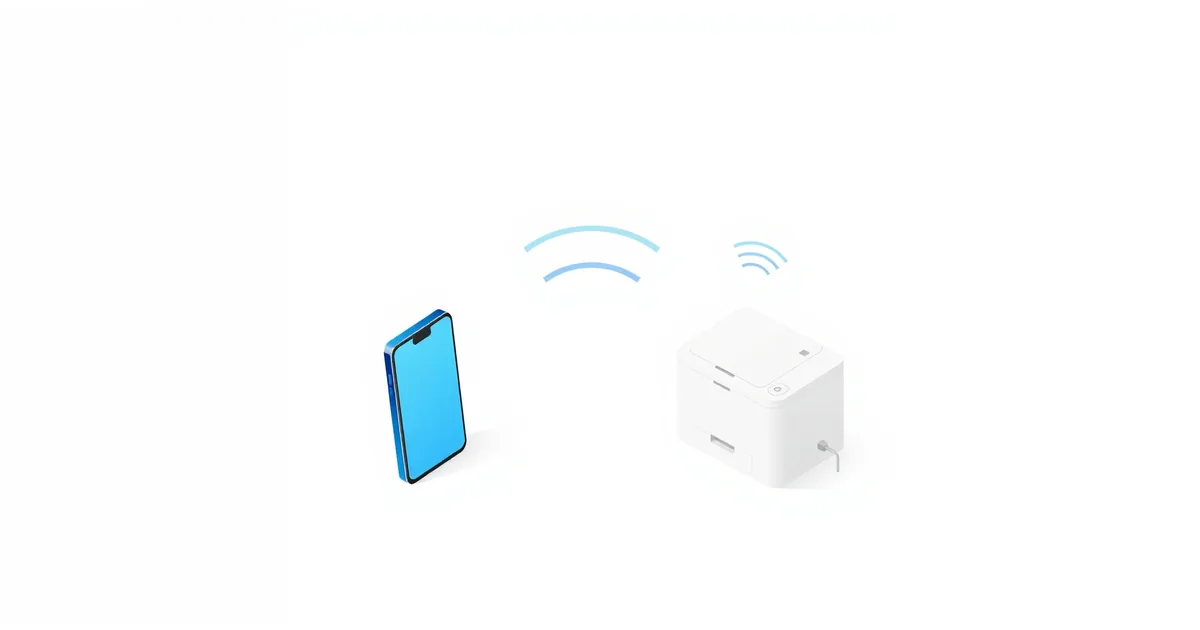
You open your phone’s Wi-Fi list and see a network called something like “DIRECT-xx-Printer”. That is Wi-Fi Direct: the printer has made its own small Wi-Fi network so devices can connect to it without your router. It is handy when the router is down, the printer is not set up on your network, or you just want to print one document from a guest’s phone.
What Wi-Fi Direct Is
Wi-Fi Direct is a Wi-Fi Alliance certification for device-to-device connections. According to the Wi-Fi Alliance, it lets devices create their own Wi-Fi networks without an internet connection and without an access point — so no router is involved. Devices can connect one-to-one, or several devices can join one group at the same time.
It uses the same Wi-Fi hardware your devices already have. Android’s developer documentation describes it as a fast connection that works over distances much longer than a Bluetooth connection.
How It Works
When two Wi-Fi Direct devices connect, one of them takes the role of a small access point and the others join it as clients. The Wi-Fi Alliance explains that the devices negotiate which one should do this, taking into account factors such as power management, the number of connections supported and the services offered. That device then manages who can join and when the network ends.
Not every device supports groups: the Wi-Fi Alliance notes that connecting to multiple devices is optional, and some devices only make one-to-one connections.
Because the group owner behaves like an access point, the network shows up in your Wi-Fi list just like any other. That is why a printer’s Wi-Fi Direct network appears next to your home network.
What It’s Used For
- Printing. HP says Wi-Fi Direct works on most of its printers released after 2014 and lets you send print jobs wirelessly without an internet connection or a Wi-Fi network. Other printer brands offer the same. For printing over your normal network, see how to connect a printer to Wi-Fi.
- Screen casting. Miracast, a standard for casting a screen to a TV or wireless display, is built on Wi-Fi Direct: Wi-Fi Direct lets the devices find each other and connect, and Miracast adds the video streaming on top.
- File and photo sharing between phones, cameras and laptops, and local multiplayer games.
How to Connect to a Wi-Fi Direct Printer
Using HP as the example — other brands are similar:
- Find the Wi-Fi Direct name and password. On printers with a touchscreen, tap the Wi-Fi Direct icon. On printers without one, print the network or information report from the control panel. The HP app also shows it under the printer’s advanced network settings.
- Connect from your device:
- Windows: open Printers & scanners → Add a printer or scanner → Show Wi-Fi Direct printers, pick the printer whose name starts with DIRECT, and enter the PIN the printer shows within 90 seconds.
- Android: with the HP Print Service Plugin installed, choose Print in the app, select the printer starting with DIRECT, enter the password if asked, and confirm on the printer.
- iPhone or iPad: open Settings → Wi-Fi, join the network starting with DIRECT, enter the password, then print with AirPrint.
- Pick the right printer. HP warns that several Wi-Fi Direct printers may be in range — make sure you select yours.
On iPhone, joining the printer’s network means leaving your home Wi-Fi for a while. HP’s guide reminds you to reconnect to your Wi-Fi network after printing.
Wi-Fi Direct vs Bluetooth and Your Wi-Fi Network
- Versus Bluetooth: Wi-Fi Direct is faster and has longer range, which is why it is used for screen casting and large files. Bluetooth typically uses less power and is better for headphones, keyboards and other small accessories.
- Versus your home Wi-Fi: on your normal network, every device talks through the router, and they also have internet. With Wi-Fi Direct, the devices talk to each other directly; whether you still have internet depends on the device. If a device can only use one Wi-Fi connection at a time, joining a printer’s network disconnects it from your router.
If you print regularly, it is usually more convenient to put the printer on your home network so every device can reach it without switching networks. Wi-Fi Direct is best for occasional use and guests.
Security Tips
- Use a password. HP recommends against its Automatic connection method because it allows unwanted access and print jobs, and suggests the password-protected method instead.
- Change the default password if your device lets you — HP printers allow a custom Wi-Fi Direct password from the printer’s web page.
- Turn Wi-Fi Direct off when you don’t use it. A printer broadcasting an open network is an easy target for anyone nearby.
- Know how pairing works. The Wi-Fi Alliance notes that pairing takes only a button press or a PIN — the same idea as WPS on routers. Confirm connections only when you started them yourself. See what is WPS on a router.
Frequently asked questions
What is Wi-Fi Direct?
A Wi-Fi standard that lets devices connect to each other directly, without a router or internet connection. One device acts as a small access point for the others.
Do I need internet for Wi-Fi Direct?
No. Wi-Fi Direct works without an internet connection or a Wi-Fi network. That is why it is useful for printing when the router is down.
Is Wi-Fi Direct the same as Bluetooth?
No. Both connect devices directly, but Wi-Fi Direct uses Wi-Fi, so it is faster and has longer range. Bluetooth typically uses less power and suits small accessories.
Why does my phone lose internet when I use Wi-Fi Direct?
If the phone joins the printer’s Wi-Fi Direct network as a normal Wi-Fi network, it leaves your home Wi-Fi. Reconnect to your network when you are done.
Should I turn off Wi-Fi Direct on my printer?
If you don’t use it, yes — HP recommends turning it off when not in use to prevent unwanted access. If you use it, protect it with a password.
Sources
- Wi-Fi Direct — Wi-Fi Alliance
- Which Wi-Fi Direct device will create and manage the connection? — Wi-Fi Alliance
- How many devices can connect? — Wi-Fi Alliance
- How is Miracast related to Wi-Fi Direct? — Wi-Fi Alliance
- Wi-Fi Direct (peer-to-peer or P2P) overview — Android Developers
- HP printer setup (Wi-Fi Direct) — HP Support